
CATCH.AI uses a normalized data model where devices and properties are decoupled from each other to have only one representation of the same property across different devices.
This means that once a property has been created, any device can report values for the given property to CATCH.AI. When a value for a property is reported, CATCH.AI will store the value in the database together with the Device ID of the device that reported the value.
The data model is a representation of the data that is used in a system. It is used to define the data structure, the relationships between different data elements, and the rules that govern the data.
What is a device?
A device refers to any unit providing data to CATCH.AI. A device can have multiple sub-devices. This allows you to structure the system better if you have a device that consists of multiple devices.
For example, if you have a device with two temperature sensors, instead of creating one device and two properties, "Temperature 1" and "Temperature 2", you create a single "Temperature" property and one device for each sensor.
What is a property?
A property describes a data point that devices can report to the system.
This could be measurement values like temperature, pressure, or humidity, as well as device-specific information like device type, firmware version, or similar.
All continual measurements should be reported as property values.
Example: Properties and devices
In the example below there are two devices containing different sensors that can report the following values:
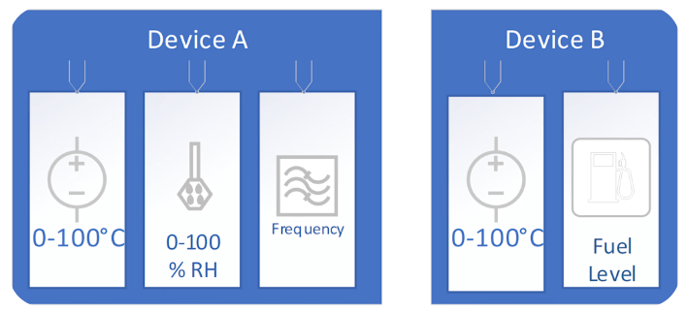
Device A
- Temperature
- Humidity
- Frequency
Device B
- Temperature
- Fuel level
Even though both devices report a temperature measurement, only one temperature property needs to be created in CATCH.AI. So, to make CATCH.AI store measurement values from these devices the following must be configured:
A property for each measurement type:
- Temperature
- Humidity
- Frequency
- Fuel level
Two devices with, as minimum, the following information:
- Unique device ID
- Device name
Once that is done, CATCH.AI is ready to receive measurements from the devices and will store them in the database together with the device ID that reported a measurement value related to the given property.